What a request's status means
Did my SMS arrive? Did the customer leave a review? The list under Requests shows how far each request got, and you can cancel or resend it right there.
The statuses in order
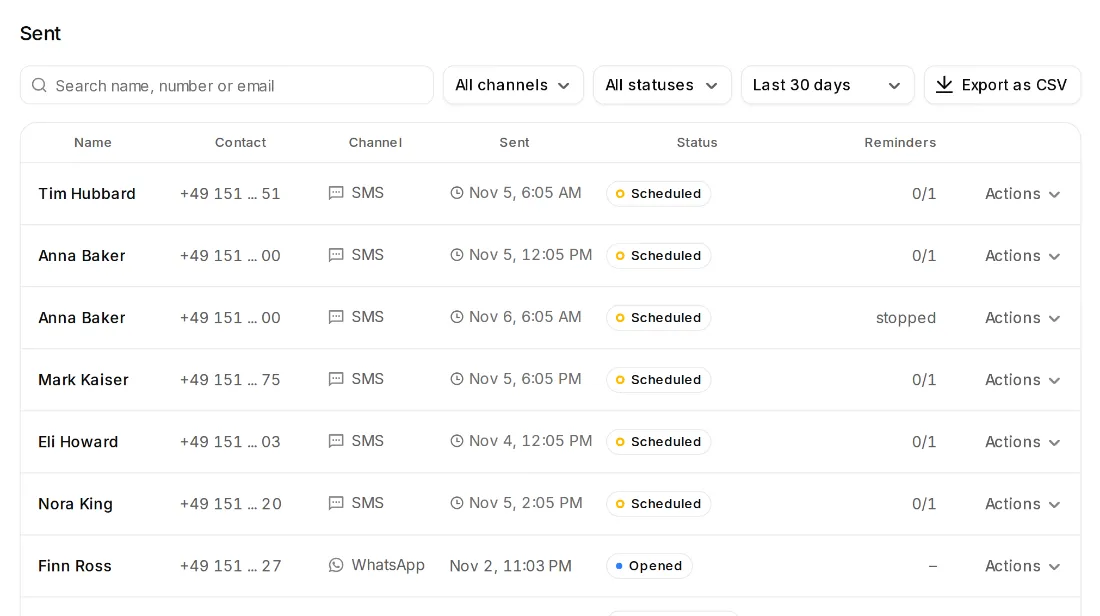
- Scheduled: waiting for the time you picked or for your sending hours.
- Sent: it went out. Delivered: it arrived on the phone or in the inbox.
- Not delivered: it didn't arrive, for example because of a wrong number. For an SMS you get the credits back.
- Opened: your customer opened the link.
- 1 to 5 stars: your customer rated. “Went to Google” (or another site): they went on to the review site.
- Private feedback: your customer wrote to you privately. It shows under Feedback.
- Canceled: you or your team canceled the request.
- For WhatsApp: “Ready for WhatsApp” and “Opened in WhatsApp”.
See a request's history
- Step 1:
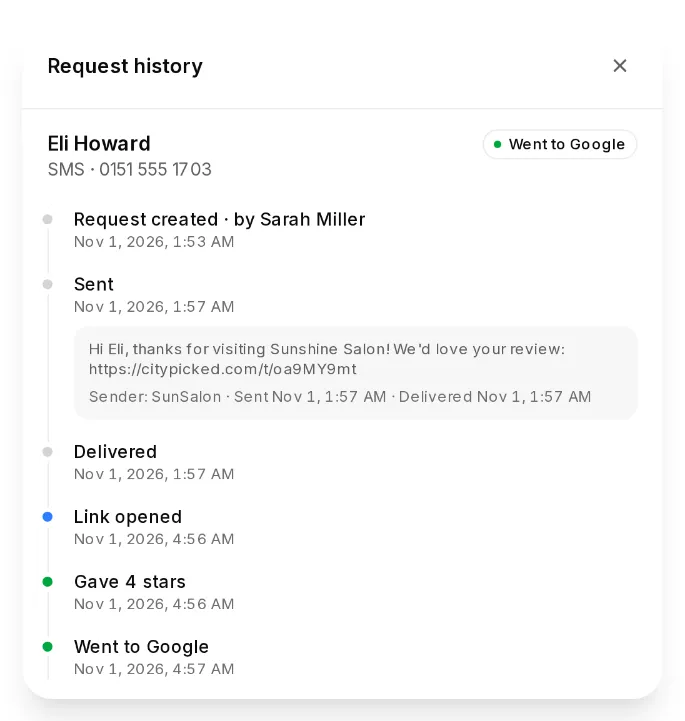
Click the customer's name in the list. The “Request history” shows every step with its time: created, sent, delivered, link opened, stars, reminders and SMS replies.
- Step 2:
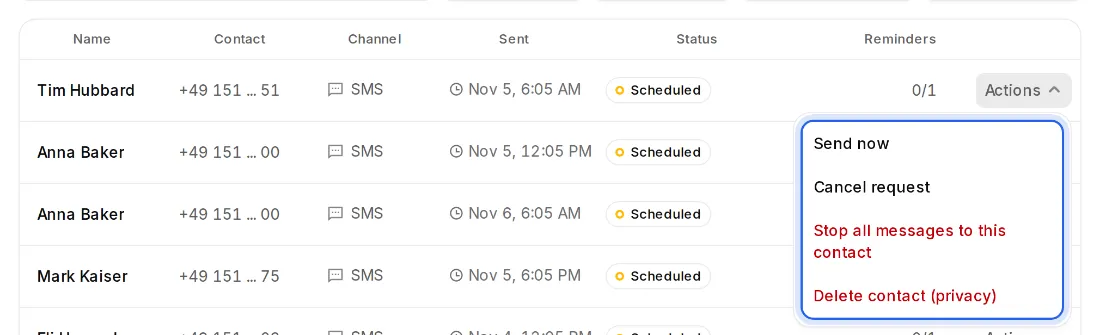
“Actions” on each row lists what is possible right now: “Send now”, “Send again”, “Cancel request”, “Stop all messages to this contact” and “Delete contact (privacy)”.