Set up Citypicked in 5 minutes
You want more reviews but have no time for tech? Setup walks you through it one question at a time. At the end your review page is live and you have sent yourself a test request.
- Step 1:
Create your account
On the website, click “Try free”, enter your email address in the window and click “Get started for free”. You don't need a password: to log in later, we simply email you a link.
- Step 2:
Your business
Enter your business name, your industry and your country. Then we ask a few quick questions about your goals, for example how many reviews you have today. We use them to suggest texts and review sites.
- Step 3:
Pick your review sites
Choose where customers should review you. For Google, type your business name and town and pick your business from the list. Happy customers then go straight to Google's review window. If it isn't listed, paste your link from Google Maps instead.
- Step 4:
Page and messages
Upload your logo, pick a color and a headline. The preview shows right away what your customers see. The templates for SMS, email and WhatsApp already fit; change only what you like.
- Step 5:
Try it yourself
Send yourself the first request by email with “Send test request”. Open it and pick a star, just like your customers will. Citypicked ticks off every step: email sent, review page opened, rating given.
- Step 6:
First customers and QR code
If you like, enter a few customers who visited recently and pick the places for your QR code. You can also skip both with “Later”.
- Step 7:
Start your trial
Choose a plan and add your card. You pay nothing today. If you cancel before the trial ends, it costs nothing.
- Step 8:
Carry on in the overview
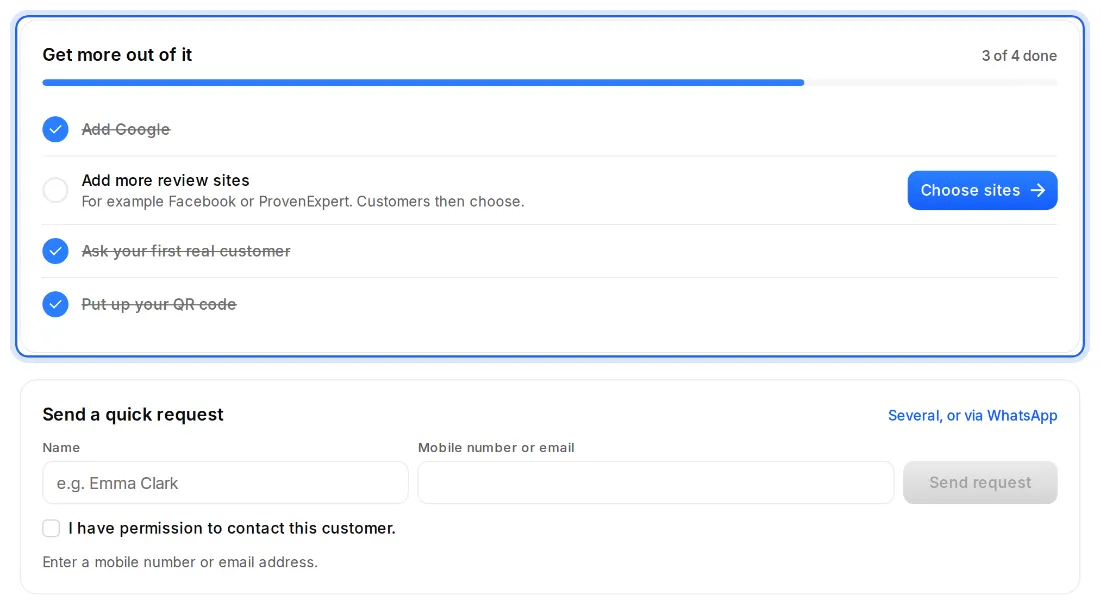
Then you are in the overview. At the top it shows what is still missing, for example more review sites or your QR code, and right there you can send your first real request.