Automatic requests don't go out
You connected your booking or checkout system, but no requests go out? “Recently received” almost always says why.
- Step 1:
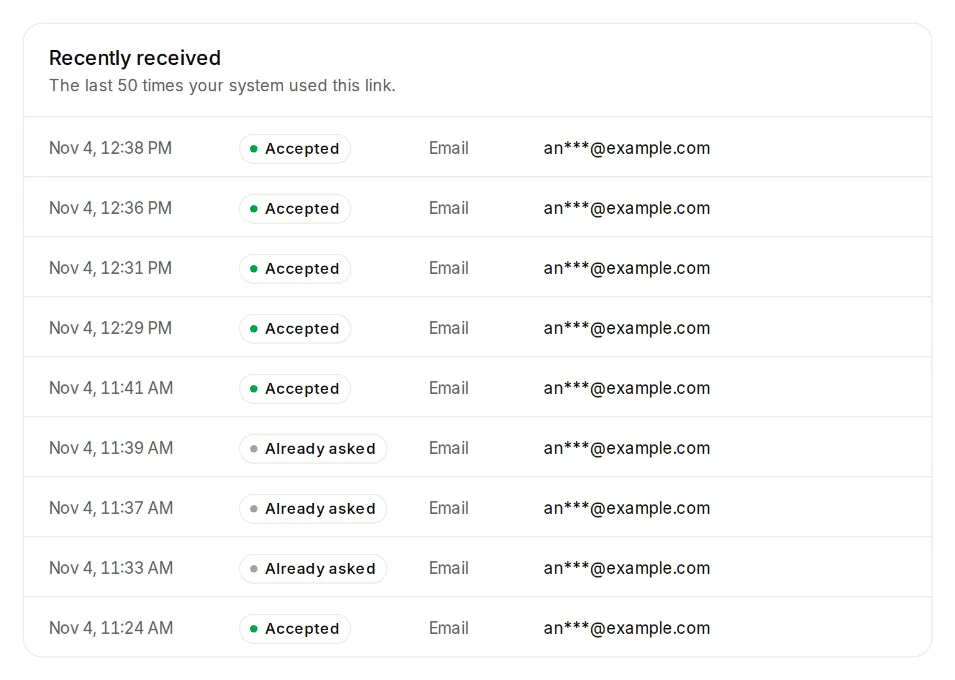
Open Settings, Sending, “Automatic after every appointment” and look under “Recently received”. It lists the last 50 calls with their result.
- Step 2:
If nothing is listed, your system never called the link. Check that the full link is entered and sent as “POST”. If you no longer have the link, create a new one and enter it.
- Step 3:
If it says “Accepted”, all is well. The request then waits for the wait after the appointment and your sending hours. It shows under Requests as “Scheduled”.
The most common results
- “Already asked”: the customer got a request recently (Don't ask twice).
- “Invalid data” with a reason, for example “Neither a mobile number nor an email address” or “Data not readable (not valid JSON or form data)”: your system doesn't send the fields the way Citypicked needs them. Compare them with the example in the guide for your tool.
- “No credits”: there are no credits for SMS. Buy credits, switch on “Top up automatically” or set the default channel to email.
- “Too many requests from your system”: it sent more calls per minute or per day than your plan allows.
- “Refused: automation isn't part of your plan”: the link is paused. On a plan with automation the same link works again, without setting anything up again.