Connect Calendly to Citypicked
Anyone who books with you through Calendly gets a review request by itself after the appointment. The easiest way to connect both is Zapier: Zapier waits until the appointment ends and then sends name and email (or mobile number) to your automation link.
- Step 1:
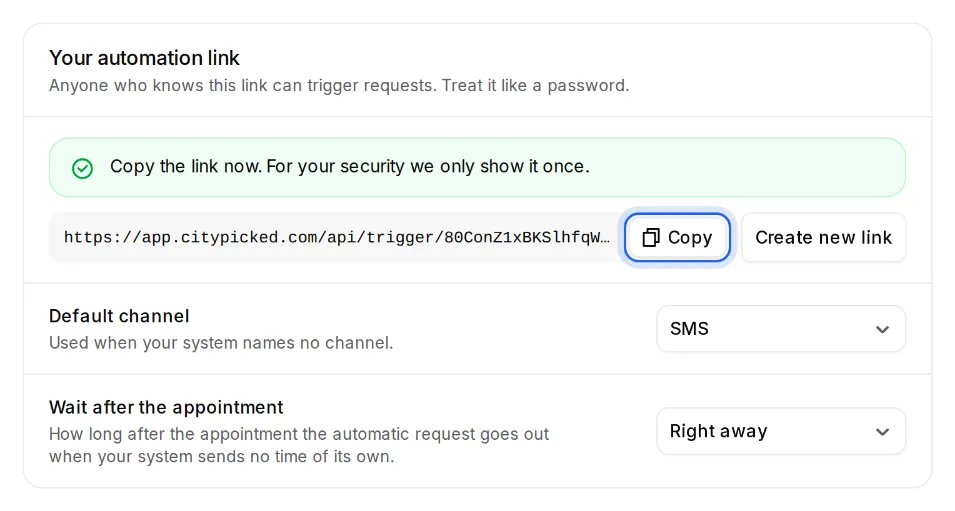
In Citypicked, open Settings, Sending, “Automatic after every appointment” and click “Set up”. Create your automation link there and copy it right away: Citypicked shows it only once.
- Step 2:
Create a new Zap in Zapier. Trigger: Calendly with the event “Invitee Created”, so a newly booked appointment.
- Step 3:
Add “Delay by Zapier” with “Delay Until” and pick the end time of the appointment. That way the request only goes out after the appointment.
- Step 4:
Add the action “Webhooks by Zapier” with the event “POST”. Paste your automation link into “URL” and set “Payload Type” to “json”.
- Step 5:
Under “Data”, add these rows: name with the invitee's name and email with their email. If you ask for the mobile number in Calendly, map it to phone and the request goes by text message.
- Step 6:
Test the Zap with an appointment you book with yourself, then switch it on. Under “Recently received” Citypicked shows everything your system sent, with its result, so you see right away whether everything arrives.