Set up notifications
You don't want to check the app every day. Let Citypicked email you as soon as a customer is unhappy, and send a report once a week.
- Step 1:
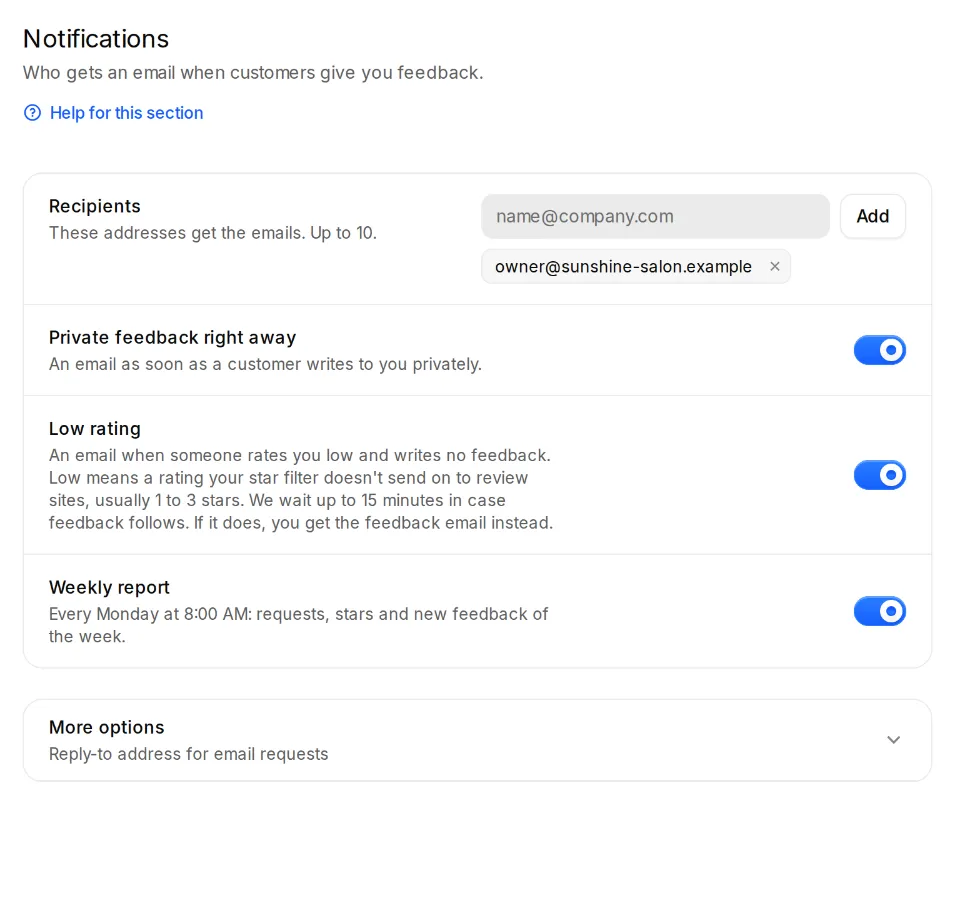
Open Settings, Notifications. Under “Recipients”, add the addresses that get the emails. Up to 10 are possible, for example yours and your store manager's.
- Step 2:
“Private feedback right away” sends an email as soon as a customer writes to you privately.
- Step 3:
“Low rating” tells you when someone rates you low and writes no feedback. Low means a rating your star filter doesn't send on to review sites, usually 1 to 3 stars. We wait up to 15 minutes in case feedback follows; if it does, you get the feedback email instead.
- Step 4:
The “Weekly report” arrives every Monday at 8:00 AM with the week's requests, stars and new feedback.