Delete a customer's data (privacy)
A customer wants you to delete their data? It takes two clicks, and your Analytics numbers stay right.
- Step 1:
Open Requests and find the customer with the search field under “Sent”, by name, number or email.
- Step 2:
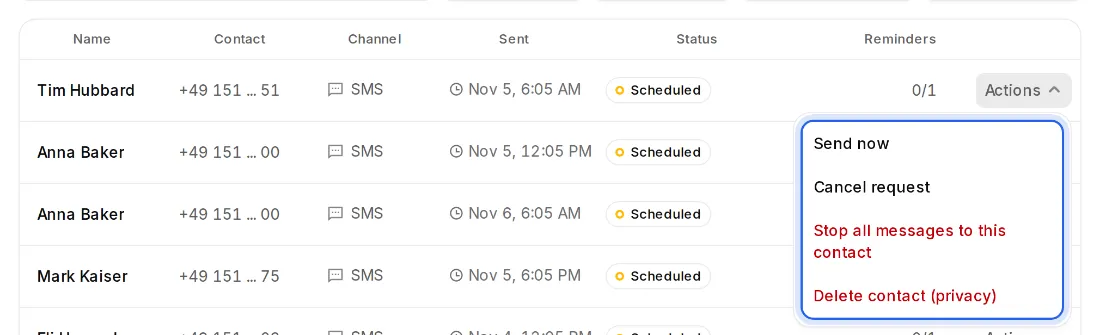
Click “Actions” on one of their requests and then “Delete contact (privacy)”.
- Step 3:
Confirm. The customer is deleted with number, address, messages and private feedback. The numbers in Analytics stay, without the name.