Share your link: website, Instagram, email signature
Your review page has its own link. You can share it wherever your customers are, and change it so it fits your business.
- Step 1:
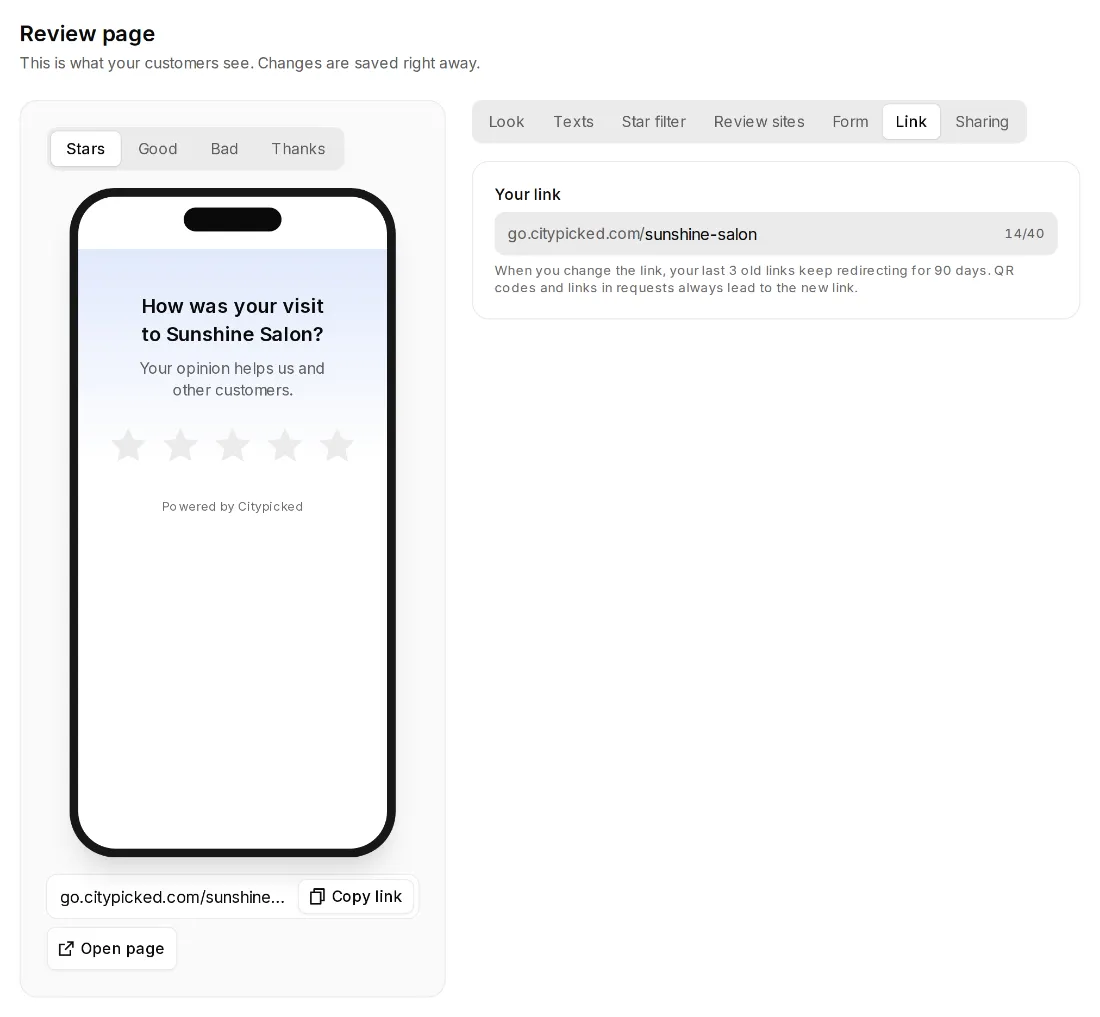
Under Review page, your link is right by the preview. “Copy link” puts it on your clipboard; “Open page” shows you the page itself.
- Step 2:
Under “Link” you change the last part, for example to your business name: 3 to 40 characters, lowercase letters, numbers and dashes.
- Step 3:
Under “Sharing” you set how the link looks when you share it by WhatsApp or email: the title and an image. Without your own image we show a card with your logo, your color and the stars.
Good places for the link
- On your website, for example as its own menu item.
- In your email signature and in emailed invoices.
- In your Instagram or Facebook profile.